
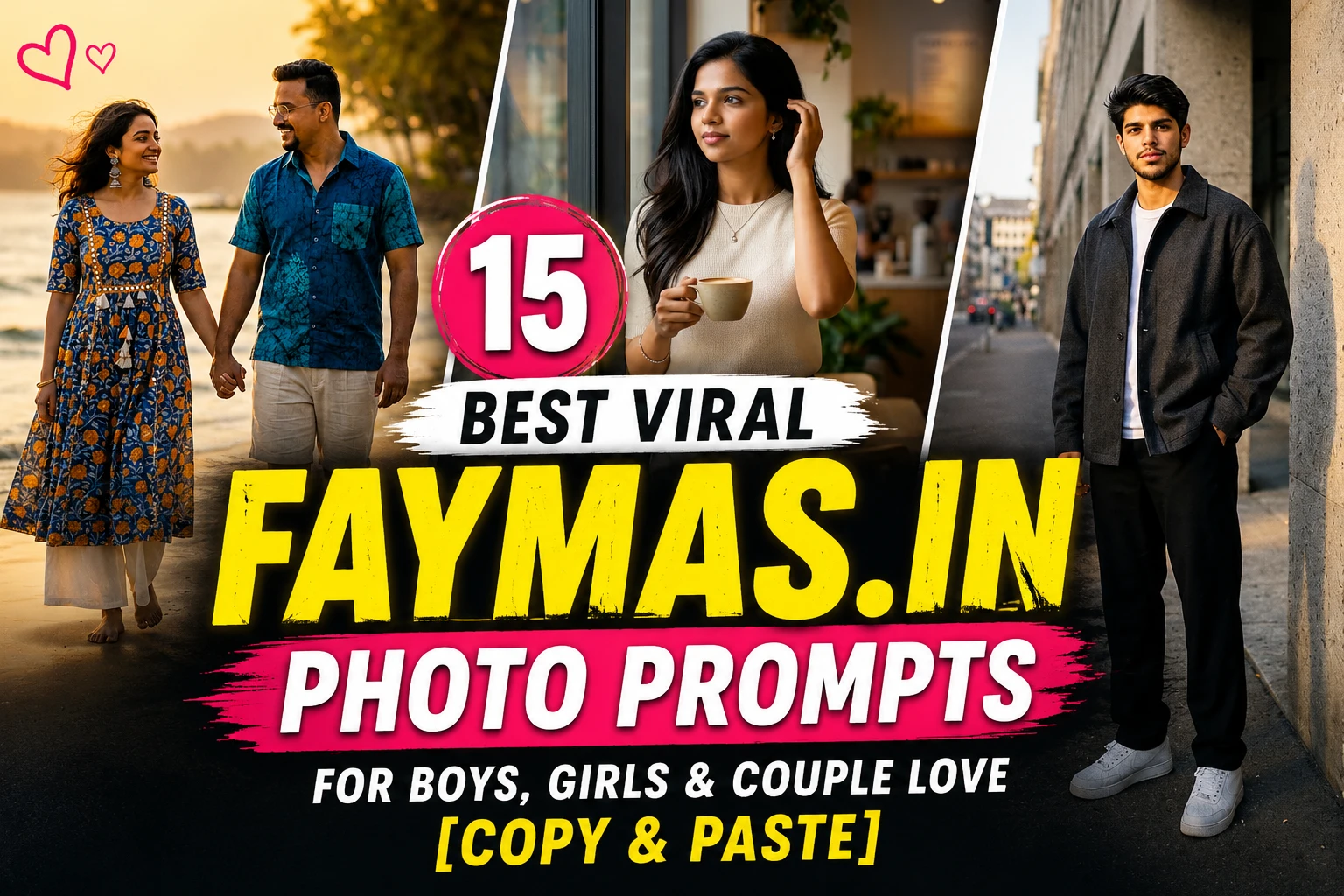
15 Best Viral Faymas.in Photo Prompts for Boys, Girls & Couple Love [Copy & Paste]
Faymas.in Photo Prompt: Hello my dear friend, Are you searching for the best copy paste readymade photo editing ai prompts? Then you are in a right place. The secret of latest viral photos on social media is often not complicated editing software. It is a well-written AI photo prompt.
Faymas.in Prompt ideas are becoming popular because they make it easier to discover creative prompts for image generation and editing. Faymas is designed around finding, copying and sharing AI prompts for image, video and text generation, with prompts covering different visual styles and AI models such as ChatGPT and Gemini.
In this post, I have put together 15 best viral Faymas.in photo prompts for boys, girls and couple love that you can copy, paste and customize with your own image. Instead of giving you 15 prompts that all sound alike, this list covers street fashion, luxury portraits, cinematic travel, traditional outfits, romantic dates, vintage photography and social-media-ready edits.
Whether you are searching for a faymas.in AI editing prompts or a useful faymas in prompt list, these ideas are a good starting point for creating more natural and interesting AI photos for your personal and social media posts.
Also Check: Top 10 Faymas AI Prompts
15 Best Faymas.in Photo Prompts for Boys, Girls & Couples
1. Cinematic Street Style Prompt for Boys
This is a good choice if you want a confident Instagram portrait without making the image look overly artificial.

Copy and paste:
Create a photorealistic editorial street portrait using my photo as the identity reference. Keep my natural face, hairstyle, skin tone and recognizable features consistent. Place me beside a modern concrete building on a quiet city street during late afternoon. I am wearing an oversized charcoal jacket, plain white T-shirt, relaxed black trousers and clean sneakers. Give me a casual standing pose with one hand in my pocket and a natural expression. Use soft directional sunlight, realistic shadows, subtle background blur and premium fashion photography. Make the image feel like an authentic street-style photograph captured by a professional photographer, not an AI-generated picture.
2. Golden Hour Travel Portrait for Boys
Golden-hour photography works particularly well when you want a warm and natural-looking result.

Copy and paste:
Turn my reference photo into a realistic travel portrait taken during golden hour. Keep my facial identity and natural appearance unchanged. Place me on a scenic hilltop overlooking a distant valley, with warm sunlight coming from behind and slightly to the side. Dress me in a light beige overshirt, white T-shirt, dark trousers and casual boots. I am standing naturally while looking toward the landscape instead of directly at the camera. Add gentle wind movement, realistic atmospheric haze, soft lens flare and shallow depth of field. The final photograph should resemble a premium travel magazine portrait with authentic skin texture and natural colors.
3. Black-and-White Gentleman Portrait Prompt
For a more mature and sophisticated style, try a monochrome editorial look.
Copy and paste:
Create a sophisticated black-and-white studio portrait based on my reference photograph. Preserve my recognizable facial structure, natural skin texture, hairstyle and overall identity. Dress me in a perfectly fitted dark suit with a simple white shirt. Use a minimal dark studio background and soft side lighting that creates controlled shadows across the face. Keep my expression calm and confident. Add subtle photographic grain, realistic contrast and classic editorial composition. Avoid excessive skin smoothing, exaggerated muscles or artificial facial changes. The final result should look like a genuine professional portrait captured on a high-end monochrome camera.
4. Luxury Car Lifestyle Photo Prompt
This style is useful for creators who want a premium lifestyle photograph without changing their identity.

Copy and paste:
Create a realistic luxury lifestyle photograph using my uploaded image as the identity reference. Keep my face and natural appearance consistent. Place me beside a sophisticated black luxury car outside a modern glass building at dusk. I am wearing a fitted black shirt, tailored trousers, a minimal watch and clean leather shoes. Give me a relaxed pose leaning lightly against the car while looking away from the camera. Use realistic evening illumination, reflections on the vehicle, soft city lights and cinematic depth of field. Keep the scene believable and photographic rather than looking like a promotional CGI render.
5. Soft Fashion Portrait for Girls
A clean fashion aesthetic can work particularly well for Instagram profile pictures.

Copy and paste:
Transform my photo into an elegant outdoor fashion portrait while keeping my face, natural skin tone, hairstyle and recognizable identity consistent. Place me in a beautiful garden filled with soft greenery and small flowers during early morning. I am wearing a flowing pastel outfit with subtle accessories and natural makeup. Give me a relaxed pose with one hand lightly touching my hair while looking slightly away from the camera. Use diffused morning sunlight, realistic fabric movement, delicate background bokeh and natural skin texture. The final image should feel like a professionally photographed lifestyle editorial rather than a heavily edited AI portrait.
6. Y2K Flash Photography Girl Edit
Retro flash photography has become a recognizable social-media aesthetic.
Copy and paste:
Recreate my reference photo as a candid early-2000s flash photograph. Preserve my facial features and natural identity. Place me inside a stylish bedroom with a slightly messy but realistic background. Give me a casual Y2K-inspired outfit with simple accessories and natural hair styling. Use direct on-camera flash, slightly dark ambient surroundings, realistic shadows, subtle film grain and imperfect framing. Keep the expression spontaneous instead of posed. Add the feeling of a genuine photograph taken with an old compact camera at night, including slight exposure variation and authentic photographic imperfections.
7. Luxury Café Portrait for Girls
For a softer lifestyle look, a café scene provides plenty of visual detail without making the prompt complicated.

Copy and paste:
Create a realistic lifestyle photograph from my reference image. Keep my identity, facial structure, skin texture and natural appearance consistent. Place me beside a large window inside an elegant modern café on a quiet morning. I am wearing a stylish neutral-colored outfit with minimal jewellery and natural makeup. Show me holding a coffee cup while looking outside with a relaxed expression. Use soft window lighting, realistic reflections, warm interior details, shallow depth of field and subtle background activity. The image should resemble an authentic lifestyle photograph from a fashion magazine.
8. Traditional Indian Editorial Portrait
Traditional clothing can produce a completely different visual direction from everyday AI edits.
Copy and paste:
Create a premium traditional Indian editorial portrait using my reference photograph. Keep my natural facial identity, skin tone, hairstyle and recognizable features unchanged. Dress me in an elegant richly textured saree with a detailed blouse, tasteful jewellery and matching earrings. Place me inside a heritage-inspired Indian architectural setting with carved pillars and warm natural sunlight. Give me a graceful standing pose and a calm confident expression. Capture realistic fabric texture, authentic jewellery reflections, natural skin details and cinematic depth of field. Make the final photograph look like a professional cultural fashion shoot.
9. Rainy Night Couple Portrait
Couple prompts work best when the pose and emotional interaction are described instead of simply asking for a "romantic photo." Prompt collections for couple photography similarly focus on natural body language, lighting, setting and emotional tone.
Copy and paste:
Create a photorealistic romantic photograph of the two people from the reference images. Keep both faces recognizable and preserve their natural features. Place them walking together on a rainy city street at night under one transparent umbrella. They are smiling naturally while looking at each other. Use wet pavement reflections, glowing shop lights, realistic raindrops and a mixture of warm and cool illumination. Keep their clothing stylish but believable. Capture the scene like a candid photograph taken by a professional photographer with shallow depth of field and subtle cinematic grain.
10. Sunset Beach Couple Photo
This is one of the easiest couple concepts to customize for Instagram.

Copy and paste:
Turn the reference photos into a realistic romantic beach photograph. Keep both people's facial identity, natural skin texture and proportions consistent. Place the couple walking barefoot along the shoreline just before sunset. They are holding hands while looking toward each other with relaxed expressions. Use warm orange sunlight near the horizon, gentle waves, subtle wind in their clothing and naturally moving hair. Frame the couple from a slightly distant photographer's perspective with soft background blur. The result should feel like a genuine destination photoshoot rather than an artificial fantasy scene.
11. Cozy Café Date Couple Edit
For a more casual and relatable couple photo, avoid dramatic poses.
Copy and paste:
Create a candid lifestyle photograph of the couple from the uploaded reference images enjoying a quiet coffee date. Preserve both faces and natural appearances. Place them at a small cozy café table beside a large window. One person is talking while the other is smiling and listening naturally. Add two coffee cups, warm wooden furniture, soft daylight and a little background activity. Use realistic body language, natural expressions, authentic skin texture and shallow depth of field. The photograph should look like an unplanned moment captured by a friend using a professional camera.
12. Vintage 1990s Couple Photograph
Vintage edits are especially effective when you include imperfections rather than asking for a perfect modern photograph.

Copy and paste:
Recreate the couple in the reference images as a genuine-looking 1990s film photograph. Preserve both people's facial identity and natural proportions. Place them standing beside an old textured wall during early evening. Give them simple vintage-inspired clothing and a relaxed pose with a small natural smile. Use direct camera flash, muted colors, visible but subtle film grain, slight exposure imperfections and soft shadows. Avoid a modern ultra-sharp digital appearance. The final image should resemble a real photograph discovered inside an old family album.
13. Romantic Traditional Couple Portrait
This concept works well for engagement, anniversary or wedding-inspired content.
Copy and paste:
Create an elegant traditional Indian couple portrait from the two reference images. Preserve both people's facial features, skin tones and recognizable identities. Dress the woman in a sophisticated saree with detailed jewellery and dress the man in a refined traditional kurta. Place them in a beautifully decorated heritage venue with warm golden lighting. Have them stand close together with a natural affectionate expression rather than an exaggerated pose. Include realistic textile details, jewellery reflections, architectural textures and cinematic background blur. Make it look like a professionally photographed celebration portrait.
14. Cinematic City Walk Couple Photo
If you want something modern instead of a typical romantic photoshoot, try a city scene.
Copy and paste:
Generate a realistic cinematic photograph of the couple using the uploaded reference images. Keep both identities and facial characteristics consistent. Place them walking together through a lively modern city street during blue hour. They are dressed in stylish casual outfits and holding hands while talking naturally. Include glowing storefronts, passing pedestrians softly blurred in the background, realistic pavement reflections and subtle evening haze. Use a documentary-style composition with natural movement and imperfect framing. The final image should feel spontaneous, fashionable and believable.
15. Dreamy Cinematic Couple Portrait
Use this one when you want a more polished social-media image.
Copy and paste:
Create a premium cinematic couple portrait using both uploaded reference photos as identity references. Preserve their natural faces and recognizable features. Place them in a quiet outdoor location surrounded by tall grass and wildflowers during sunset. They stand close together with their foreheads gently touching and relaxed smiles. Use soft backlighting, warm highlights, realistic hair movement and a creamy background blur. Add subtle lens flare and natural film texture without making the image look artificial. Compose the photograph vertically for Instagram with the couple clearly separated from the background.
About Faymas.in Prompts?
Faymas.in is an AI prompt discovery and sharing platform where users can easily find editing prompts for photo and video generation. The site currently features a mixture of portrait, fashion, cinematic, fantasy and lifestyle prompts, with entries showing which AI model was used.
That makes Faymas different from simply opening ChatGPT or Gemini and asking for an image.
The platform can act more like a prompt inspiration library. You can find an idea you like, copy the prompt, adapt it to your own photograph and experiment with the result.
Some of the most useful categories for photo creators include:
- Boys' cinematic portraits
- Girls' fashion edits
- Couple love photos
- Instagram-style portraits
- Traditional Indian looks
- Streetwear photography
- Vintage and film aesthetics
- Luxury lifestyle scenes
- Fantasy portraits
- Travel photography
- 9:16 social media compositions
Important Note:The quality of the final image still depends heavily on your reference photo, AI model and how clearly the prompt describes the desired result.
Why Faymas.in Photo Prompts Are Going Viral
The biggest advantage of a good Faymas.in photo prompt is that it gives the AI more visual direction.
A weak instruction might say:
"Make my photo cinematic."
That leaves almost everything to the AI's interpretation.
A stronger prompt explains the subject, environment, clothing, lighting, pose, camera perspective and overall mood. Current AI photo prompt collections similarly emphasize details such as lighting, pose, setting, expressions and photography style rather than relying on a short generic command.
For social media creators, this matters because the same ordinary selfie can become completely different images depending on the visual direction.
You can turn one photograph into:
- A luxury fashion editorial
- A cinematic street portrait
- A romantic couple scene
- A vintage film photograph
- A travel magazine cover
- A traditional Indian portrait
- A cool Instagram profile picture
Now let's get into the prompts.
How to Get Better Results From a Faymas.in Prompt?
Copying a prompt is only the first step. If you want consistently better results, treat the prompt as a creative direction rather than a fixed command.
Start with a good reference photo
Your original image has a major influence on the result. A sharp, well-lit portrait with a clearly visible face generally gives the AI more useful information.
For better results:
- Use a reasonably high-resolution photo
- Keep the face visible
- Avoid extreme blur
- Avoid heavy filters
- Use a natural facial expression
- Make sure important facial features are not covered
AI photo editing guides commonly recommend clear selfies, mirror photos and portrait images for these types of transformations.
Describe the environment
Don't simply write "beautiful background."
Tell the AI what you actually want.
For example:
- Rainy city street
- Luxury café
- Beach at sunset
- Heritage palace
- Modern rooftop
- Forest pathway
- Vintage bedroom
- Mountain viewpoint
The environment helps establish the lighting, color palette and mood of the entire image.
Tell it how the person should pose
Pose instructions can make a surprisingly big difference.
Instead of:
"Make me look stylish."
Try:
"Stand casually with one hand in the jacket pocket while looking slightly away from the camera."
That gives the model a clear physical direction.
Control the photography style
Adding photography language can help create a more intentional result.
Useful terms include:
- Editorial photography
- Lifestyle photography
- Candid photography
- Cinematic portrait
- Fashion photography
- Vintage film photography
- Direct flash photography
- Golden-hour photography
- Documentary-style photography
- Studio portrait
However, don't overload every prompt with technical camera specifications. The goal is to communicate a visual idea clearly, not make the prompt unnecessarily complicated.
Faymas.in Prompt vs Random AI Photo Prompt
One reason a structured faymas.in photo prompt can be useful is that it gives you a repeatable starting point.
A random prompt may only contain:
"Create a cool Instagram photo."
A more useful prompt can specify:
Subject + identity + outfit + location + pose + lighting + photography style + composition
For example:
"Create a realistic street portrait using my reference photo, preserve my identity, place me beside a modern building, dress me in casual streetwear, use late-afternoon sunlight and capture the scene as editorial photography."
This structure is much easier to modify.
You can replace the location, outfit or lighting without rewriting everything from scratch.
Faymas AI Prompts for ChatGPT and Gemini
The phrase faymas ChatGPT is often used when people are looking for prompts they can adapt for ChatGPT's image capabilities. Likewise, many creators search for Faymas prompts that can be used with Gemini. The important thing is to focus on the prompt instructions, not just the platform name.
A well-written prompt can often be adapted by changing:
- AI model
- Aspect ratio
- Outfit
- Background
- Pose
- Lighting
- Camera perspective
- Mood
- Image style
For example, if a prompt creates a beautiful boy portrait but you want a girl version, you don't necessarily need an entirely new concept. You can retain the location and lighting while changing the styling and subject details.
This makes a good faymas in prompt list more useful than a collection of unrelated one-line commands.
Common Problems With AI Photo Prompts
Even a detailed prompt can produce an imperfect result.
- Face doesn't look right: Try using a clearer reference image and explicitly prioritize identity consistency. Avoid combining too many major changes in the same generation.
- Hands look unnatural: Ask for natural hand placement and a simple pose. Complicated gestures can make generation harder.
- Clothes look unrealistic: Describe the clothing material and fit instead of using only a fashion label. For example, "light cotton linen shirt" gives more visual direction than simply saying "stylish shirt."
- Background is too distracting: Tell the AI to keep the background softly blurred and maintain the subject as the primary visual focus.
- The result looks too artificial: Reduce exaggerated descriptions and request realistic skin texture, natural lighting, believable proportions and authentic photographic imperfections.
Alternatives to Faymas.in Photo Prompts
Faymas is useful for discovering prompt ideas, but it doesn't mean you have to use only Faymas.
You can also explore prompt ideas through:
- ChatGPT image prompts
- Gemini photo prompts
- AI photo editing communities
- Instagram photography trends
- Pinterest-inspired visual concepts
- AI image generator prompt libraries
The biggest advantage of using multiple sources is that you can combine ideas. For example, take a pose concept from a couple prompt, a lighting style from a fashion prompt and a location idea from a travel photograph.
That is often how you create something that feels more original instead of simply copying a viral image.
Tips for Making Your Faymas.in Editing Prompts More Original
If hundreds of people are copying the same viral prompt, simply using it unchanged may give you a familiar-looking result.
Try changing at least three elements.
Change the location
Replace a café with a bookstore, rooftop, beach or old street.
Change the lighting
Experiment with:
- Morning window light
- Sunset backlight
- Direct flash
- Overcast daylight
- Neon night lighting
- Warm indoor light
Change the composition
Try:
- Close-up portrait
- Waist-up frame
- Full-body shot
- Side profile
- Over-the-shoulder photograph
- Wide environmental portrait
Change the emotional direction
Instead of always asking for a confident smile, experiment with:
- Calm
- Thoughtful
- Playful
- Candid
- Mysterious
- Romantic
- Peaceful
These small changes can make the same basic concept feel completely different.
FAQs on Faymas.in Prompt
1. Can I use Faymas prompts in ChatGPT?
- Yes. Many image-generation prompts can be adapted for ChatGPT. You can copy the creative instructions and modify them according to the image you want to create.
2. Can Faymas prompts be used with Gemini?
- Yes. A prompt is essentially a set of instructions, so many Faymas-style image prompts can be adapted for Gemini as well. You may need to adjust the wording depending on the model and its image-generation capabilities.
3. What photo should I upload for the best result?
- Use a clear, reasonably high-resolution photograph where your face is visible. Portraits, selfies and mirror photos can work well. Avoid extremely blurry images or photographs where the face is heavily covered.
4. How do I make an AI photo look realistic?
- Focus on natural lighting, realistic skin texture, believable proportions, simple poses and authentic environments. Avoid stuffing the prompt with too many exaggerated effects.
5. Can I create couple photos using separate images?
- Yes, when the image-generation tool supports multiple reference images. Give each person a clear reference and explain that both identities should remain recognizable. Then describe the shared scene, pose and relationship naturally.
6. Why does my AI photo sometimes change my face?
- AI image models can reinterpret facial features during generation. Using a clear reference image and giving identity preservation higher priority can help, although perfect consistency is not guaranteed in every generation.
7. Which Faymas prompt is best for Instagram?
- There is no single best prompt because it depends on your content style. For fashion pages, editorial and street-style prompts work well. For personal profiles, candid lifestyle portraits can feel more natural. Couples can experiment with sunset, café, travel and cinematic date concepts.
Final Thoughts
The best Faymas.in Photo Prompt is not necessarily the longest one. It is the prompt that gives the AI enough creative direction to understand the image you actually want while leaving room for a natural-looking result. Faymas.in is useful because it brings AI prompts into one discovery-focused environment, making it easier to find ideas, copy them and experiment with different visual concepts.
The 15 prompts above cover several of the most useful directions for today's AI photo editing trends, including cinematic boys' portraits, fashion looks for girls, traditional Indian styling, luxury lifestyle photography, vintage edits and romantic couple scenes. If your first generation does not look perfect, don't immediately discard the prompt. Change one or two elements at a time, such as the lighting, pose, outfit, camera angle or background.
A good AI photo workflow is usually an editing process rather than a one-click result. You can also take inspiration from a faymas.in prompt, adapt it for ChatGPT or Gemini, and create your own version instead of copying the original concept exactly.
That is where AI prompting becomes genuinely creative. Start with a strong reference photo, choose one of the prompts from this faymas in prompt list, customize it to match your personality and keep experimenting until the image feels like something you would actually post. The goal is not simply to make an AI-generated picture look impressive; it is to create a visual that feels personal, believable and different from the hundreds of repetitive AI edits appearing on social media every day.
Karthikeyan Selvaraj
Founder & Chief EditorKarthikeyan Selvaraj is the Founder and Chief Editor of FoxAITools. With over 8+ years of tech and software engineering experience, he personally tests, evaluates, and reviews cutting-edge AI software, SaaS tools, and machine learning models.
View Full Author Profile & Published Articles →