
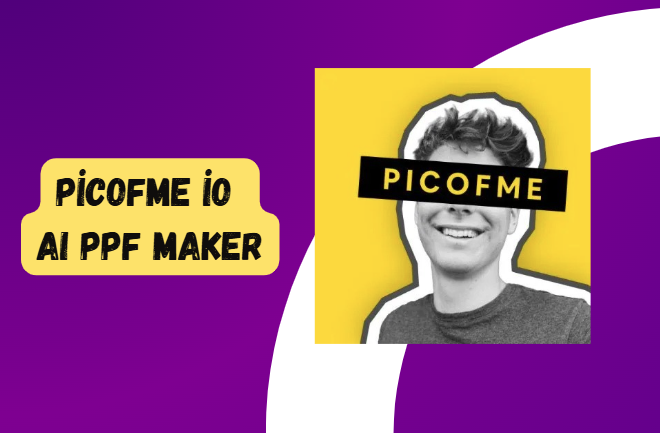
Picofme io AI - Circle Aesthetic PFP/DP Maker Review, Pricing & Features in 2026
Picofme io AI Profile Picture: Your profile picture is often the first visual impression people get when they visit your Instagram, TikTok, YouTube, Discord, LinkedIn, gaming account, or even a professional work profile. The problem is that creating a clean and eye-catching profile picture usually requires photo editing skills, background removal tools, templates, and multiple design adjustments.
This is where Picofme io AI becomes interesting. Picofme.io is a web-based AI profile picture maker designed to turn an ordinary photo into a more polished, creative, and social-media-ready PFP. Instead of generating a completely new AI face or avatar from a text prompt, the platform focuses on improving your existing photo through AI background removal, frames, filters, outlines, borders, backgrounds, and customizable templates.
In this detailed Picofme io AI review, I explored what the tool does, how its AI workflow works, its major features, pricing, best use cases, limitations, and whether it is still worth using in 2026. If you are searching for a circle profile picture maker, aesthetic PFP maker, DP maker AI, or an AI profile picture generator free to use without complicated editing software, this guide will help you understand exactly what Picofme.io offers.
Also Check: Best AI Face Swap
What Is Picofme io AI?
Picofme io AI is an online profile picture creation platform that uses AI-powered background removal and image customization tools to help users create attractive display pictures and profile photos.
The core concept is refreshingly simple. You upload a photo, the platform separates the person from the background, and then you can apply a variety of visual styles to create a more distinctive PFP.
The tool is especially useful for people who want to transform a normal selfie or portrait into something more suitable for:
- Instagram profile pictures
- TikTok PFPs
- YouTube channel profile images
- Discord avatars
- Gaming profiles
- LinkedIn and professional profiles
- Messenger and social media display pictures
- Personal branding
- Community campaigns
- Branded team profile pictures
Unlike many AI portrait generators that attempt to create entirely new faces, Picofme AI works primarily with the image you already have. This can be useful if you want to maintain your real identity while giving your photo a more polished or aesthetic appearance.
How Does Picofme.io Work?
One of the strongest parts of Picofme.io is its straightforward workflow. You do not need advanced Photoshop knowledge or professional design experience to create a customized PFP. The basic process involves four stages.
1. Upload Your Photo
Start by uploading a portrait or photo containing a clearly visible person. Picofme.io supports many commonly used image formats, including JPG, JPEG, PNG, GIF, WEBP, BMP, TIFF, and several others.
For the best AI background removal results, it is better to use a photo with:
- Good lighting
- A clearly visible face
- A reasonably sharp image
- A contrasting background
- Minimal obstruction around the person
The platform's own guidance indicates that the AI works best when it can clearly identify a person in the image.

2. AI Removes the Background
After the photo is uploaded, the AI identifies the person and removes the original background. This is the main AI-powered part of the experience. Instead of manually tracing around your body or face, the system automatically separates the subject from the background.
The quality of the result can depend on the original photo. A well-lit portrait with a clear outline will generally be easier for an AI background removal system to process than a dark, blurry, or highly cluttered image.
3. Choose a PFP Style or Template
Once the background has been processed, you can explore different visual variations. This is where Picofme io featured templates become particularly useful. Rather than beginning with an empty canvas, users can select a design direction and then customize it.
Depending on the design and editing options available, you can experiment with backgrounds, circular framing, outlines, borders, shadows, filters, and other visual elements. The platform's resources also demonstrate profile picture styles created for platforms such as Instagram and TikTok.
4. Customize and Download
If you find a design you like, you can further customize it before downloading the final result. This makes the platform more flexible than a basic one-click background remover. You can adjust the composition and experiment with multiple elements until the profile picture better matches your personal style.
Picofme io AI Features Explained
AI Background Removal
The most important feature is the AI-powered background removal system. Instead of spending time manually erasing the background from a portrait, users can upload an image and allow the AI to isolate the person automatically.
This feature is especially useful when you want to place your face against:
- A solid color background
- A gradient
- A transparent background
- A branded design
- A themed PFP frame
- A custom image layer
For creators, this can significantly reduce the time needed to prepare a profile image.
Circle Profile Picture Maker
A major reason people search for tools like Picofme.io is the need for a properly optimized circular profile picture.
Many social platforms display profile images inside circular frames. An image that looks good as a rectangle may not look right after the corners are cropped.
Picofme.io allows users to work with different canvas shapes, including circular options, making it useful as a circle profile picture maker.
Before downloading, it is worth checking that your face remains centered and important visual details are not positioned too close to the edges.
Background Customization
After the AI removes the original background, you can experiment with a new visual environment.
The available editing options described in Picofme.io's resources include changing the background color, adding gradients, applying filters, or using transparency. This opens up plenty of creative possibilities.

For example:
- A bright yellow background for a bold creator look
- A soft pastel gradient for an aesthetic PFP
- A dark background for a gaming profile
- A clean white background for a professional image
- Transparent output for additional editing elsewhere
Filters for Different Visual Styles
Picofme.io also includes filters that can change the mood of your profile picture. According to the platform's template customization guide, users can select from multiple filters, with the guide describing 17 available filter options at the time of publication.
Filters are useful when your original image feels too ordinary or does not match your existing social media aesthetic.
A black-and-white filter, for example, can create a classic or professional appearance, while stronger visual effects may be more suitable for gaming or creator profiles.
Outlines and Segmented Effects
Another useful feature is the ability to add outlines around the subject. An outline can help separate your face or body from the background and make the image easier to recognize when displayed as a small circular icon.
Picofme.io allows users to customize elements such as outline color, thickness, and style. The platform also highlights segmented outline and layered profile picture designs as part of its template creation system.
This is particularly useful for:
- YouTube creators
- Gaming accounts
- Influencers
- Community members
- Social campaigns
- Branded profile photos
Borders and Shadows
Borders and shadows may seem like small details, but they can have a significant effect on how a profile picture looks.
A border can create separation between your image and the background, while a shadow can add more visual depth.
These tools are useful for people creating a more polished DP maker AI style result without needing professional design software.
Layers for More Creative Control
One of the more interesting features is the layered editing approach. Picofme.io's custom template system allows users to work with different layers, including background and picture elements. Users can add, edit, remove, and rearrange layers to build more personalized profile picture designs.
This makes the platform more useful for creative campaigns.
For example, you could create a profile image with:
- A colored background layer
- Your AI-processed portrait
- A logo or symbol
- A border
- A campaign message or visual element
What Is Picofme io Featured?
The Picofme io featured section is essentially part of the platform's design experience where users can explore profile picture templates and visual styles.
Featured designs can be useful when you do not want to create everything manually. Instead of asking yourself, "What background should I use?" or "What colors will look good with my photo?", you can begin with a ready-made visual direction and customize it.
This is one reason Picofme.io works well for beginners. The tool provides a faster starting point while still allowing customization.
The platform also publishes resources covering themed PFP ideas, including social media, holiday, fandom, anime, professional, and creator-oriented profile pictures.
Creating an Aesthetic PFP with Picofme AI
If your goal is to create an aesthetic PFP maker style image, the secret is not simply applying every available effect.
A good profile picture usually works because the design is visually clear. Here is a simple approach I recommend.
Choose a Clean Photo
Use a portrait where your face is visible and reasonably well lit.
Keep the Face Central
Remember that many platforms crop profile images into a circle. Keep the most important part of your image toward the center.
Select One Main Color Direction
Instead of mixing too many colors, choose one overall aesthetic.
For example:
- Purple and pink for a soft creator look
- Blue and black for gaming
- Yellow and black for bold branding
- White and neutral tones for professional use
- Red or orange for an energetic social media profile
Add Contrast
A subtle outline can make your face stand out, especially when the profile picture is displayed at a very small size.
Avoid Over-Editing
This is an important tip. A profile picture is not the same as a full Instagram post. At small sizes, too many filters, borders, shadows, and decorative elements can make the image look cluttered. Simple and recognizable usually performs better.
Custom PFP Templates - A Useful Feature for Creators and Teams
One of the areas where Picofme.io goes beyond a basic profile picture editor is custom template creation.
The platform allows users to build a profile picture design and save it as a reusable template. This can be particularly useful for organizations, communities, events, and creator groups.
According to Picofme.io's template guide, users can customize the canvas, transform the image, edit backgrounds, apply filters, add outlines and shadows, create borders, and manage layers before saving the result as a template.
Who Can Benefit from Custom Templates?
Custom templates can be useful for:
- YouTube creator teams
- Gaming communities
- Online events
- Corporate teams
- Social awareness campaigns
- Fan communities
- Educational groups
- Discord servers
- Personal brands
For example, imagine a community with 500 members. Instead of everyone manually designing their own campaign profile image, a reusable template can create visual consistency while still allowing each person to upload their own photo.
Picofme.io's resources also highlight use cases involving social awareness, national support campaigns, and branded corporate profile pictures.
Picofme io AI Pricing in 2026
One of the biggest advantages of Picofme.io is its pricing model. Based on the information available on the official website at the time of writing, Picofme.io is free to use and does not charge users for its standard profile picture creation experience. The site also states that it does not display ads as part of the free tool experience.
Picofme.io Pricing Overview
| Plan | Price | Main Use |
| Free | $0 | AI background removal and profile picture creation |
| Standard Editing Tools | Included | Filters, backgrounds, borders, outlines, and customization |
| Templates | Included | Creating and customizing PFP designs |
Because online AI tools can change their plans or introduce new premium features, it is always a good idea to check the current pricing information directly before making a business decision.
For casual users, however, the free positioning is a major advantage.
Is Picofme io AI Really Free?
Yes, according to Picofme.io's official website, the platform describes itself as entirely free to use and states that there are no ads.
That makes it appealing for users who simply want to improve a social media profile picture without subscribing to a premium photo editing platform.
However, it is important to understand what "free" means in practical terms. Picofme.io is primarily focused on creating and customizing profile pictures. If you need advanced AI headshot generation, large batches of corporate portraits, completely AI-generated identities, or highly specialized artistic transformations, you may need a different type of tool.
Are Photos Safe on Picofme.io?
Privacy is naturally an important consideration when uploading a personal photograph to any AI tool.
Picofme.io states that uploaded images are used on its backend for background removal and that user photos are automatically deleted after processing. The platform also says it does not track, store, measure, or collect face data.
That said, users should still follow a sensible rule whenever uploading images to any online service: avoid uploading highly sensitive or confidential photos unless you are comfortable with the platform's terms and privacy practices.
For ordinary social media portraits and profile photos, the workflow appears designed around temporary image processing rather than building a personal face database, based on the platform's stated policy.
Best Use Cases for Picofme io AI
Instagram Profile Pictures: Picofme.io provides tutorials and template options designed for creating visually stronger Instagram PFPs.
A colorful background, centered face, and subtle outline can make your image easier to recognize in comments, stories, and search results.
TikTok PFPs: TikTok profiles often benefit from bold visual contrast. Picofme.io's TikTok-focused resources demonstrate how users can upload, reposition, select a design, customize it, and download the final profile picture.
YouTube Channel Profile Pictures: For YouTube, your profile image is displayed in many different sizes. The best strategy is usually to keep the face, logo, or primary visual element clear even at a small scale. A circular frame and high-contrast background can help.
Discord and Gaming Profiles: Gaming communities often use colorful and highly stylized profile pictures. Picofme.io can be useful for creating a recognizable portrait-based avatar without completely replacing your real image.
LinkedIn and Professional Profiles: The tool can also work for professional profile images, particularly when you want a cleaner background.
However, I would recommend keeping professional edits minimal. Avoid overly dramatic filters or decorative effects when creating a formal business profile.
Social Awareness Campaigns: Custom templates can also help people create matching profile pictures for events, campaigns, causes, and community initiatives. The ability to add layers and save reusable templates is particularly valuable here.
Picofme.io Pros and Cons
Pros
- Free to use according to the official website
- AI-powered background removal
- No advanced editing skills required
- Useful circle profile picture maker
- Multiple background customization options
- Filters and visual effects
- Custom outlines and borders
- Layer-based customization
- Reusable profile picture templates
- Useful for social media and personal branding
- Supports many common image formats
- The platform states uploaded photos are automatically deleted after processing
Cons
- Primarily focused on profile pictures rather than full photo editing
- Results depend on the quality of the uploaded image
- AI background removal may struggle with difficult images
- Not designed as a full AI headshot generator
- May not offer the same level of photorealistic AI portrait generation as specialized premium tools
- Users looking for anime or completely AI-generated avatars may need additional tools
Picofme io AI vs Traditional AI Profile Picture Generators
This is an important distinction. Many modern AI profile picture generators work by asking you to upload multiple images. The system then creates entirely new portraits, headshots, avatars, or artistic versions of your face.
Picofme.io takes a simpler approach. Instead of training a model on dozens of photos, it focuses on enhancing and redesigning an existing image through AI background removal and visual customization.
This approach has several advantages. You can get started faster, upload fewer images, and maintain more control over how recognizable your original face remains.
On the other hand, if your goal is to generate a completely new corporate headshot, fantasy character, or highly stylized AI avatar, a dedicated AI portrait generator may offer more variety. So, the right choice depends on your goal.
Choose Picofme.io if you want:
- A fast profile picture upgrade
- A free tool
- Background removal
- Circular PFP creation
- Templates and frames
- Aesthetic social media profile photos
- Branded community profile pictures
Consider another AI generator if you want:
- Completely new AI faces
- Professional AI headshots
- Hundreds of generated portrait variations
- Extensive artistic transformations
- Batch portrait generation for a large organization
How to Get the Best Results with Picofme AI?
After reviewing the platform's workflow and available customization options, here are my practical recommendations.
- Use a High-Quality Original Image: AI editing cannot always completely fix a blurry or poorly lit photo. Start with the best image you have.
- Choose a Simple Background Before Uploading: Although AI can remove backgrounds, a clear separation between you and the original background can improve the result.
- Keep Your Face Visible: Avoid sunglasses, masks, extreme shadows, or objects covering important facial features if you want a clean profile picture.
- Test More Than One Template: Do not immediately download the first result. Try multiple layouts and visual directions.
- Think About Where the PFP Will Be Used: A profile image for LinkedIn should look different from one created for Discord or a gaming channel. Create with the final platform in mind.
- Preview the Image at a Small Size: This is one of the most overlooked tips. A profile picture may look amazing at full resolution but become difficult to understand when displayed as a tiny circular icon. Zoom out and check whether your face is still clearly visible.
My Final Verdict on Picofme io AI in 2026
As an AI tools user, I think the biggest strength of Picofme io AI is that it does not try to overcomplicate the profile picture creation process.
You upload a photo, let AI handle the background removal, select a visual direction, customize the image, and download your result.
That is exactly what many users need.
The tool is particularly attractive for creators, students, gamers, influencers, and everyday social media users who want something better than a standard selfie but do not want to learn complicated design software.
The addition of custom templates and layered editing also gives the platform more potential for communities and teams than a simple one-click PFP generator.
5 Best Picofme.io Alternatives in 2026
If Picofme.io does not offer the exact profile picture style or level of customization you need, several alternatives can help you create professional headshots, aesthetic PFPs, social media display pictures, and AI-generated profile images. Here are five strong alternatives worth considering in 2026.
1. PFP Maker
PFP Maker is one of the closest alternatives to Picofme.io for users who want to quickly transform a normal photo into a polished social media or professional profile picture. It focuses on automatic background removal and allows users to experiment with different backgrounds, colors, outlines, and profile picture designs.
It is particularly useful for creators, freelancers, professionals, and social media users who want a clean PFP without spending time on complex photo editing.
Best for: Professional profile photos, social media PFPs, LinkedIn pictures, and quick background removal.
2. Canva Profile Picture Maker
Canva is a more flexible alternative for users who want complete creative control over their profile picture design. While Picofme.io focuses specifically on PFP creation, Canva provides a broader design environment where you can create custom profile pictures from scratch.
You can upload your photo and add backgrounds, gradients, shapes, text, filters, frames, stickers, and branding elements. This makes it a strong choice for creators and businesses that want a unique visual identity across multiple social platforms.
Best for: Custom branded profile pictures, creator branding, business profiles, and highly personalized designs.
3. ProfilePicture.AI
ProfilePicture.AI is a good alternative if you want more than simple background removal. The platform focuses on AI-generated and stylized profile pictures, allowing users to create different visual interpretations of their uploaded photos.
This makes it suitable for users looking for creative avatars, artistic portraits, social media profile images, and more personalized AI-generated styles.
Compared with Picofme.io, this type of tool may be a better choice when you want AI to significantly transform your original image rather than simply customize its background and presentation.
Best for: AI avatars, creative portraits, stylized PFPs, and unique profile image variations.
4. Vidu AI Profile Picture Generator
Vidu offers an AI-powered approach to profile picture generation and can be useful for users looking to create more visually creative portraits. Instead of relying only on traditional editing tools, AI generation can help produce profile images with different styles and aesthetics.
This makes it a useful option for social media creators who want something more distinctive than a standard photo with a removed background.
Best for: AI-generated profile pictures, creative social media images, and modern visual styles.
5. Adobe Express
Adobe Express is another strong alternative for users who want professional-looking profile pictures with access to broader editing and design tools. It provides templates and image editing options that can help users create profile pictures for social media, business accounts, and personal branding.
It may require slightly more design involvement than a dedicated one-click PFP maker, but it gives users greater flexibility when creating a custom visual identity.
Best for: Professional branding, social media graphics, custom profile pictures, and advanced design flexibility.
FAQs About Picofme io AI
1. What is Picofme io AI?
Picofme io AI is an online AI-assisted profile picture maker that uses automated background removal and customization tools to help users create attractive profile photos, display pictures, and social media PFPs.
2. Is Picofme.io free?
According to the official Picofme.io website, the tool is free to use and does not display ads as part of its stated standard experience.
3. Does Picofme AI generate a completely new face?
No. Picofme.io primarily works with the photo you upload. Its main AI functionality focuses on identifying the person and removing the background before allowing further customization.
4. Can I create a circle profile picture with Picofme.io?
Yes. The platform supports canvas customization, including circular framing options, making it useful as a circle profile picture maker.
5. Is Picofme.io good for Instagram PFPs?
Yes. Picofme.io provides templates and tutorials specifically related to Instagram profile pictures, making it suitable for creating more distinctive and aesthetic social media PFPs.
6. Can I use Picofme.io for TikTok?
Yes. The platform has resources focused on TikTok profile picture creation and offers template customization for social media use.
7. Are uploaded photos deleted?
Picofme.io states that user photos are automatically deleted after processing and says it does not store or collect face data.
8. What image formats does Picofme.io support?
The official FAQ lists support for several common formats, including JPG, JPEG, PNG, GIF, WEBP, BMP, TIFF, and others.
9. Can I create branded profile picture templates?
Yes. Picofme.io offers a custom template feature that allows users to build a design, save it as a template, and use or share it for future profile picture creation.
10. Is Picofme.io suitable for professional profile pictures?
Yes, especially if you want to clean up a background or create a simple, polished profile image. For highly realistic AI-generated corporate headshots, however, a dedicated AI headshot generator may provide more specialized options.
Final Words
Picofme io AI is a practical and beginner-friendly option for anyone who wants to upgrade an ordinary photo into a more attractive profile picture without dealing with complicated editing software.
Its combination of AI background removal, circular canvas options, aesthetic backgrounds, filters, outlines, borders, shadows, layers, and reusable templates gives users enough creative flexibility while keeping the overall workflow simple.
What makes Picofme.io particularly appealing in 2026 is its focus on solving one specific problem well: helping users create recognizable and visually interesting PFPs for social media, gaming, communities, and professional platforms.
It is not trying to replace advanced AI image generators or premium headshot platforms, and that is actually one of its strengths. If you need a completely new AI-generated identity or dozens of photorealistic portraits, you may want a more specialized tool. But if your goal is to create a Picofme io AI profile picture, experiment with a circle profile picture maker, design an aesthetic PFP, build a branded community template, or find an AI profile picture generator free from unnecessary complexity, Picofme.io is definitely worth trying.
The best results will come from starting with a clear, well-lit photo, keeping the composition simple, choosing a strong color direction, and making sure your face remains easy to recognize when the final image is displayed as a small profile icon.
Karthikeyan Selvaraj
Founder & Chief EditorKarthikeyan Selvaraj is the Founder and Chief Editor of FoxAITools. With over 8+ years of tech and software engineering experience, he personally tests, evaluates, and reviews cutting-edge AI software, SaaS tools, and machine learning models.
View Full Author Profile & Published Articles →